
⚡️ Barcode & QR Code Generation in Document Builder
Your document templates can now include scannable barcodes and QR codes — generated automatically from any field.
Add a barcode encoding your Order ID to your BOL. Warehouse scans it → order opens instantly in the TMS. No manual lookup. No typos.
Works with Barcodes (Code 128), QR codes, and Data Matrix. Encode Order IDs, PRO numbers, tracking references, or any custom field. Even works inside loops — each commodity could get its code in a picklist or on the BOL.
How to Do It:
-
Any document template → "+" →Insert code → Pick a code type → Pick a field
- Settings → Document Builder → Create new template→ do above 5 steps.
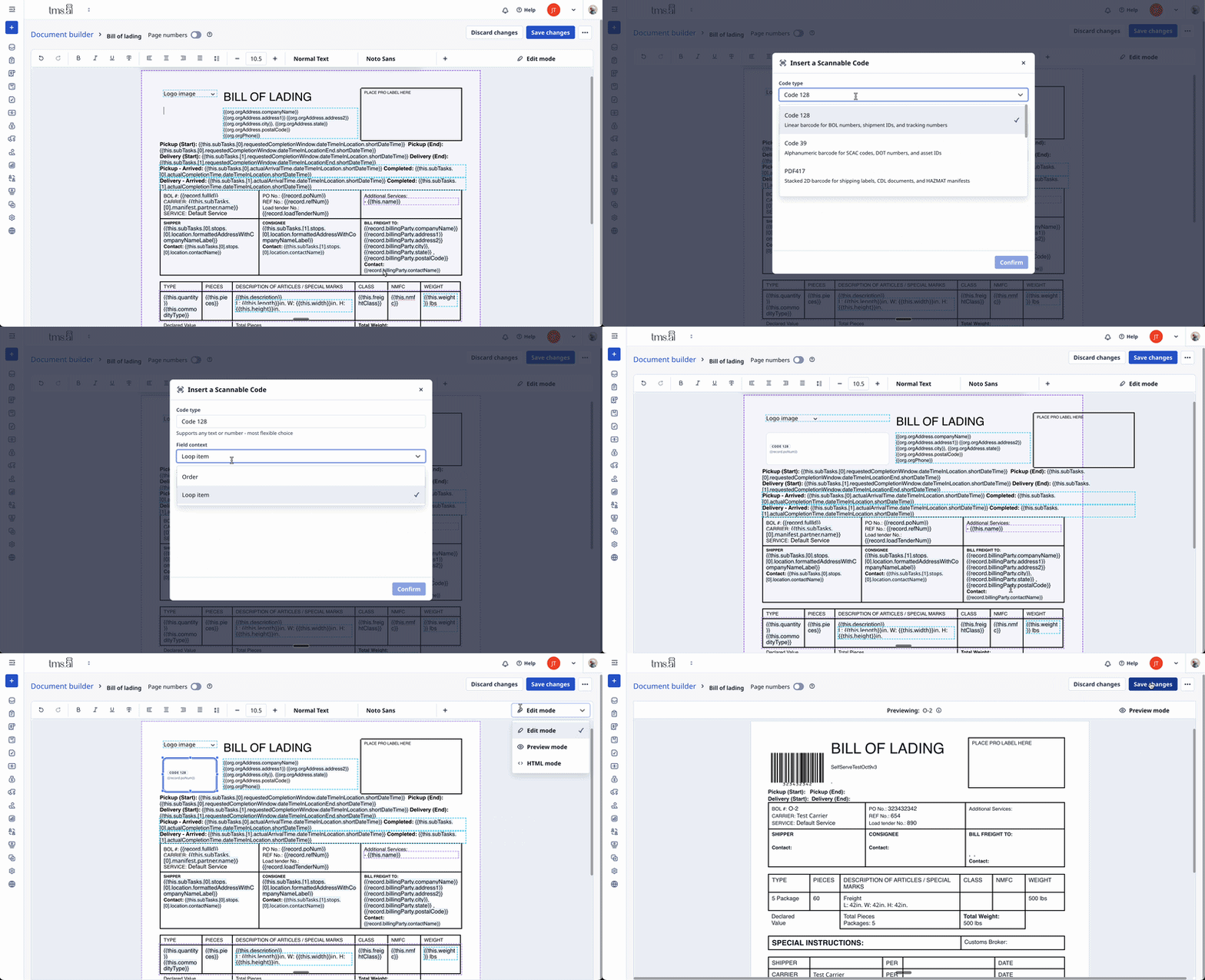
Tip: You can loop IDs of legs, commodities, line items, and more in a table, letting you automate bar codes for specific items and then let your staff more quickly validate delivery or pick up!
See more about Document Builder
Partner Compliance Overrides
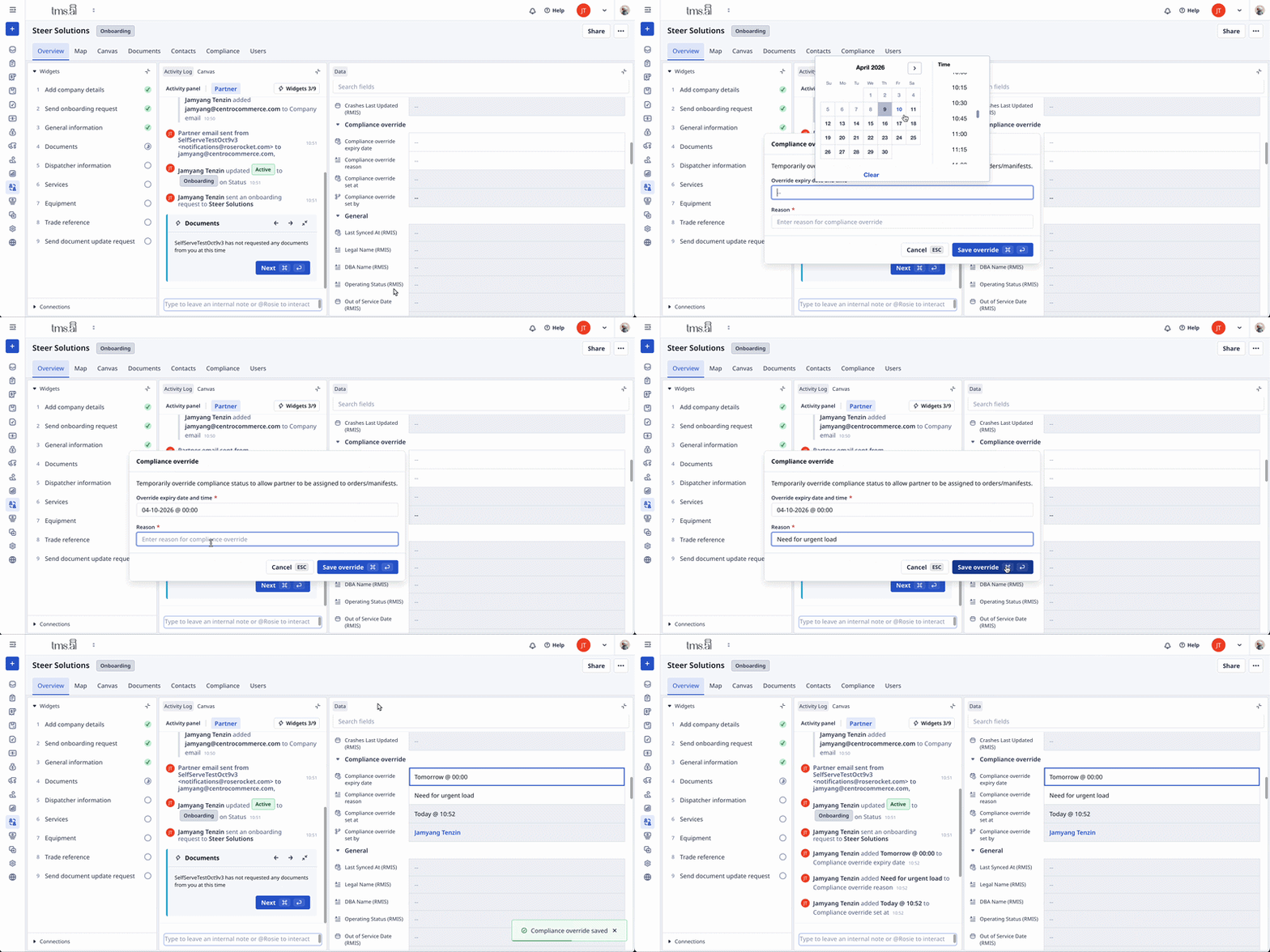
Temporarily override a partner's compliance status when you need to keep operations moving.
Insurance lapses for a day. A certificate renewal is stuck in the mail. Before, non-compliant partners were blocked from assignment — no exceptions. Now, admins can set a compliance override with:
- A reason: Document why you're making this call
- An expiry date: Override auto-expires when you expect paperwork to arrive
- Full audit trail: Who set it, when, and why
Overridden partners appear in partner search and rating engine results while the override is active. When the expiry hits, they revert to normal compliance rules automatically.
Where to find it: Partner detail view → Compliance section → Set Override
Who can use it: Admins and Super-Admins (requires modulePartnerTier1)
Board Create/Delete Permission Controls
Admins can now control which roles are allowed to create, delete, or duplicate boards.
Boards are powerful — they let users build custom filtered views of orders, quotes, partners, and more. That self-service capability is valuable when given to the right people. Now you decide who gets it.
Before: Any user could click "Create Board" and build a view of any data — including data outside their division scope.
After: Admins grant or restrict board creation per role. Power users who need custom dashboards can build them. Users with restricted data access are limited to shared boards.
Where to find it: Settings → Roles → [Role Name] → Board Permissions
Default behavior: Existing roles unchanged — create is allowed by default. Restrictions apply only when an admin explicitly disables.
Bill Due Date Auto-Calculation
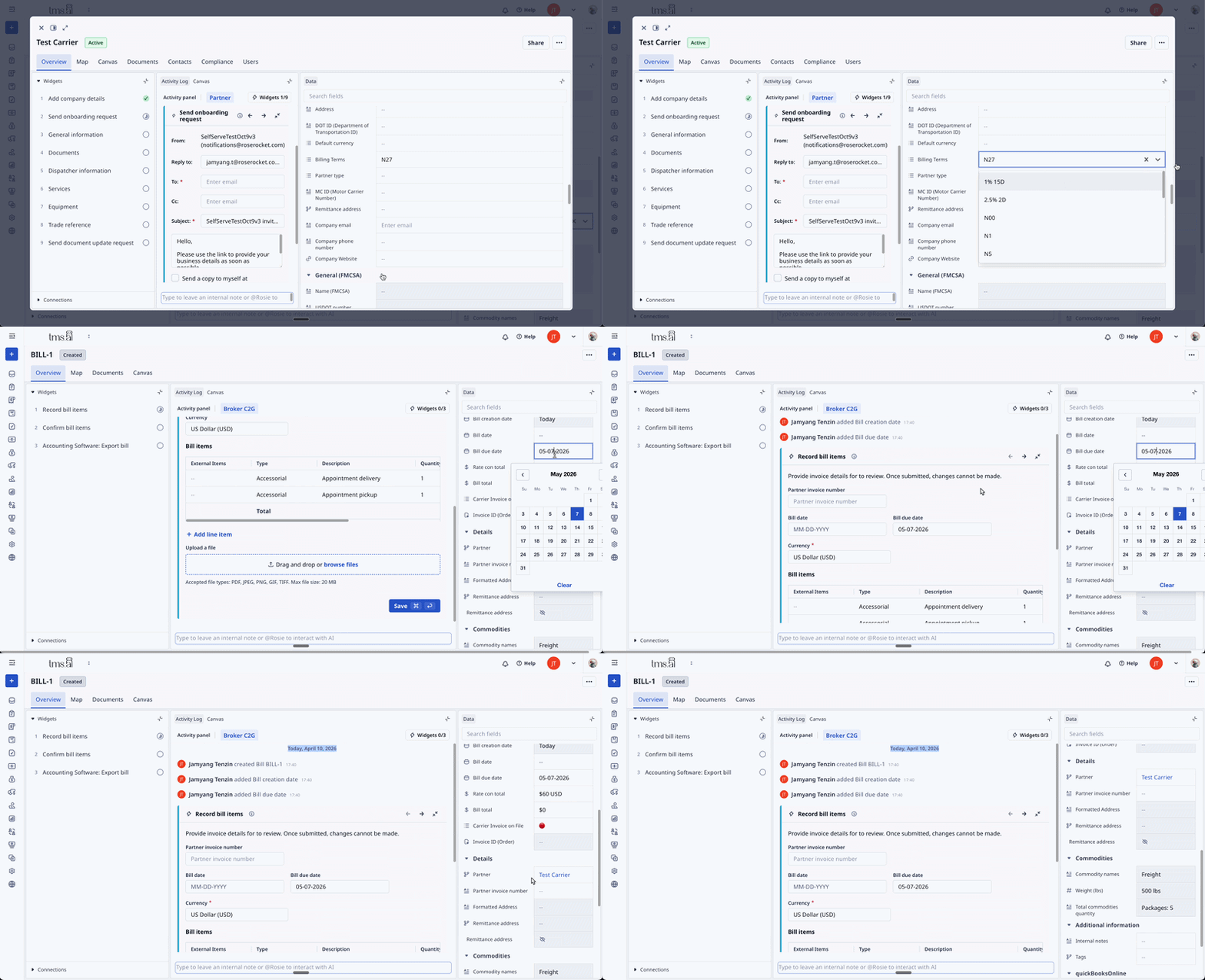
Bill due dates now auto-calculate from partner payment terms when you save.
If you've configured Net 30 on a partner, the system handles the date math. Set the bill date, save — due date auto-populates.
Before: Set bill date, then manually calculate and enter due date based on payment terms.
After: Save a bill → due date calculated automatically from partner payment terms.
Where it applies: Any bill with a partner that has payment terms configured, calculated on top of the bill's creation date.
Other March Improvements
|
Area |
What changed |
|---|---|
|
TED Reliability — Task & Shipment Patching |
TED now handles partial updates more reliably when processing emails that modify existing orders. Instead of rebuilding the whole record, TED patches only the fields that changed.
|
|
Board Toolbar Cleanup |
The filter button moved inline with the search bar — cleaner toolbar, faster access. |
Questions about any of these updates? Reach out to support@roserocket.com