![Rose Rocket Logo (Alternate)-01 (Custom).png]](https://help.roserocket.com/hs-fs/hubfs/Rose%20Rocket%20Logo%20(Alternate)-01%20(Custom).png?height=40&name=Rose%20Rocket%20Logo%20(Alternate)-01%20(Custom).png)
Rosie is available to all users within an org. It offers users quick insights, leveraging intelligent suggestions and real-time assistance to enhance decision-making and optimize overall operational efficiency.
This guide will walk you through how to use Rosie’s most valuable prompts, along with step-by-step instructions to get started.
Table of Contents
Have carriers priced this lane before?
What is the rate per mile on this order?
Can you summarize all order details for me?
Can you update the requested deliver time?
Do you have a backhaul for this order?
What is the rate per mile on this order?
Can you summarize all order details for me?
Can you update the requested delivery time?
Getting Started with Rosie
Rosie is available inside TMS.ai and can be accessed from any order. Here’s how to start using Rosie:
1️⃣ Open an order/quote/invoice in TMS.ai.
2️⃣ Go to the Activity Panel (where you log updates and notes).
3️⃣ Type "@Rosie" and ask your question - try one of the prompts below.
Rosie will instantly provide an answer based on your TMS data!
-gif.gif?width=688&height=360&name=2025-02-27-Rosie__How_to_Retrieve_Rosie_Copy_%20(1)-gif.gif)
5 Prompts for Brokers
As a Freight Broker, Rosie helps you price lanes, find carrier history, and make informed decisions faster.
1️⃣ Have carriers priced this lane before?
📌 What it does: Retrieves past carrier rates for a specific lane.
💡 Why it’s valuable: Helps you compare previous rates to negotiate better pricing.
✅ How to use it: Type @Rosie "Have carriers priced this lane before?" when discussing a new lane with a carrier.
-png.png?width=688&height=741&name=image%20(10)-png.png)
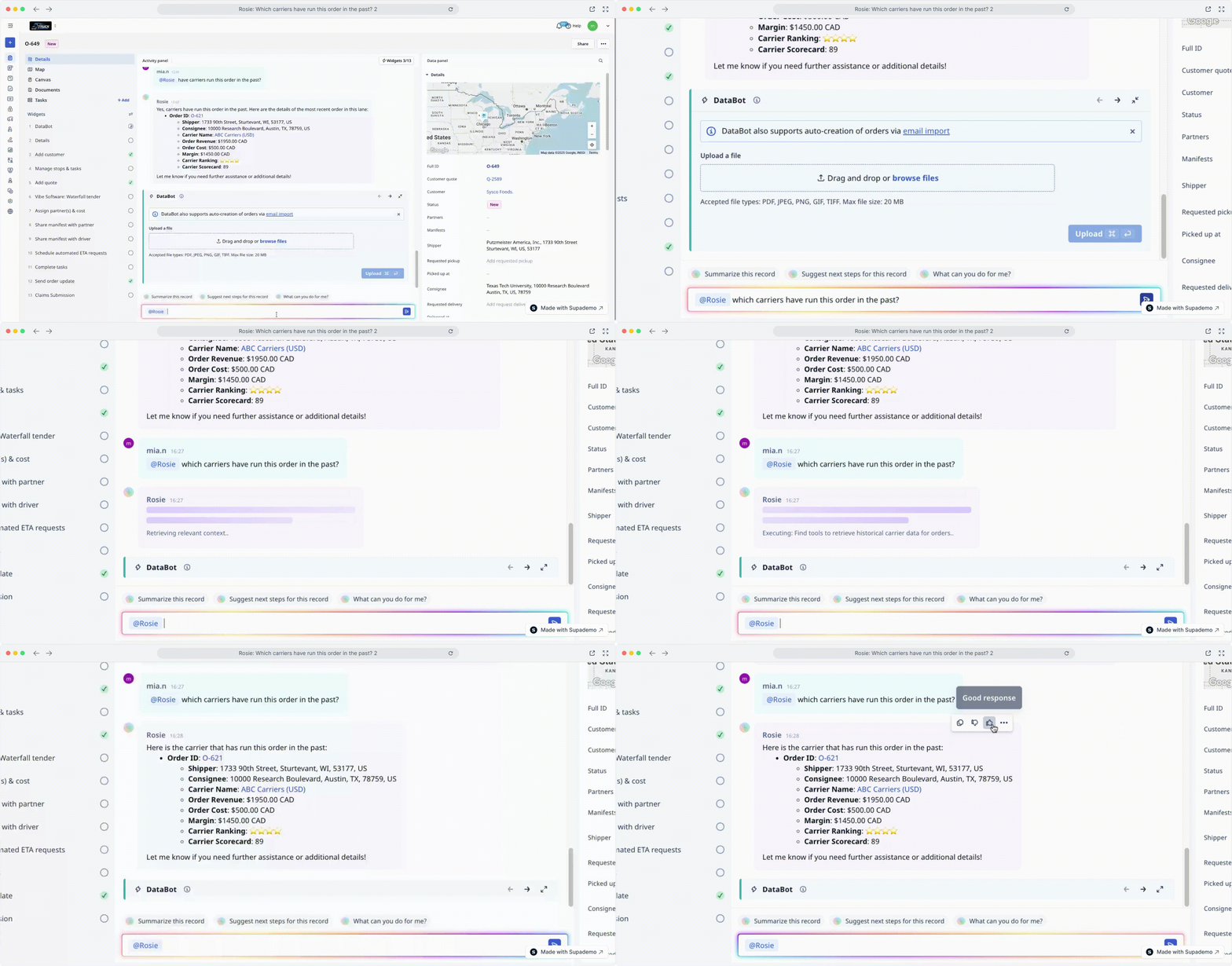
2️⃣ Have we run this lane before?
📌 What it does: Quick search of your database to find the best carrier options.
💡 Why it’s valuable: Make informed pricing & carrier selection decisions by seeing your company's past activity on a lane, including carriers used, shipment details and rates paid.
✅ How to use it: Type @Rosie "Which carriers have run this order in the past" before quoting a customer to check your history.
3️⃣ What is the rate per mile on this order?
📌 What it does: Calculates the cost per mile based on order details.
💡 Why it’s valuable: Ensures pricing aligns with market rates and protects profit margins.
✅ How to use it: Type @Rosie "What is the rate per mile on this order?" to confirm rates before finalizing a deal.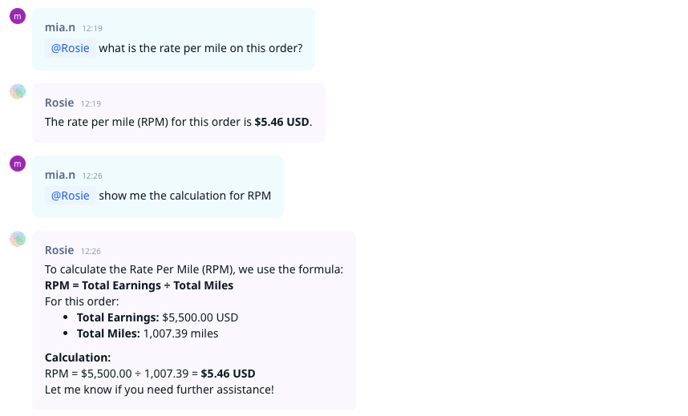
4️⃣ Can you summarize all order details for me?
📌 What it does: Provides a quick summary of all key details in an order.
💡 Why it’s valuable: Saves time by eliminating the need to check multiple fields manually.
✅ How to use it: Type @Rosie "Summarize all order details for me." for a quick order review before dispatching.
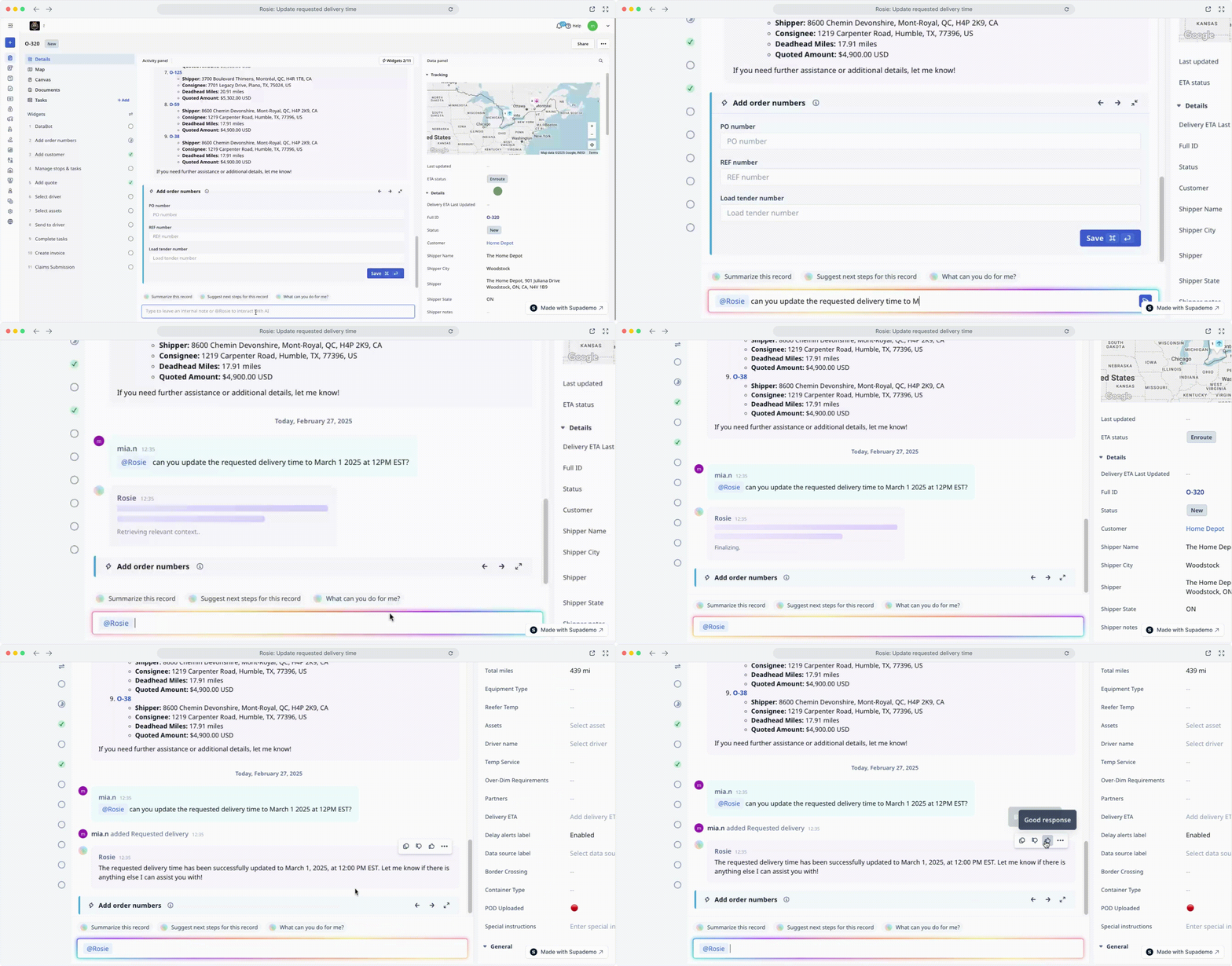
5️⃣ Can you update the requested delivery time?
📌 What it does: Updates the requested pickup or delivery time based on new customer input.
💡 Why it’s valuable: Keeps your system accurate when appointment times change.
✅ How to use it: Type @Rosie "Update the requested delivery to [new date/time]." whenever a customer requests a time change.
5 Prompts for Carriers
As a Carrier, Rosie helps you keep trucks full, reduce empty miles, and optimize operations.
1️⃣ Do you have a backhaul for this order?
📌 What it does: Finds potential return loads for an order to reduce empty miles.
💡 Why it’s valuable: Helps maximize efficiency and revenue by securing freight for return trips.
✅ How to use it: Type @Rosie "Do you have a backhaul for this order?" before dispatching a truck back empty.-gif.gif?width=688&height=360&name=2025-02-28-Rosie__Surfacing_Backhauls_for_Orders%20(1)-gif.gif)
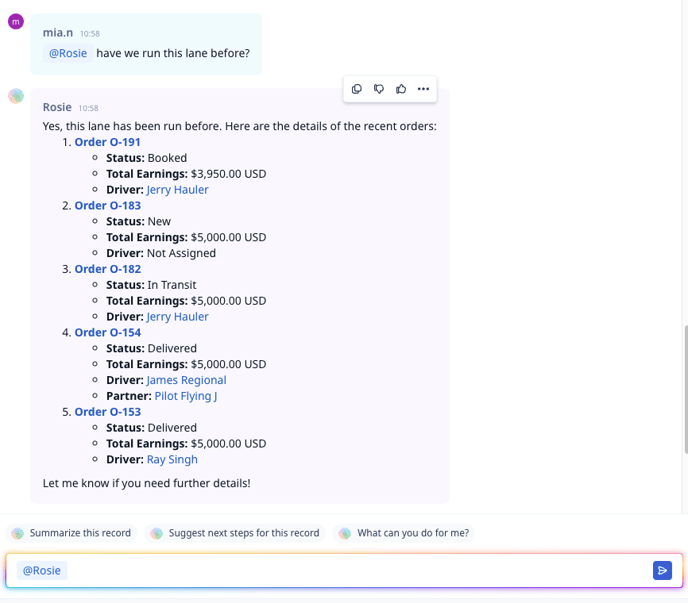
2️⃣ Have we run this lane before?
📌 What it does: Checks if your company has moved freight on a specific lane in the past.
💡 Why it’s valuable: Helps you find repeat business opportunities and assess lane profitability.
✅ How to use it: Type @Rosie "Have we run this lane before?" to check lane history before booking a load.
3️⃣ What is the rate per mile on this order?
📌 What it does: Calculates the cost per mile for an order.
💡 Why it’s valuable: Ensures the rate is profitable before you accept a load.
✅ How to use it: Type @Rosie "What is the rate per mile on this order?" before agreeing to a new haul.
4️⃣ Can you summarize all order details for me?
📌 What it does: Pulls together all key order details into a single, easy-to-read summary.
💡 Why it’s valuable: Saves time and ensures quick access to all shipment details.
✅ How to use it: Type @Rosie "Summarize all order details for me." before dispatching or confirming a load.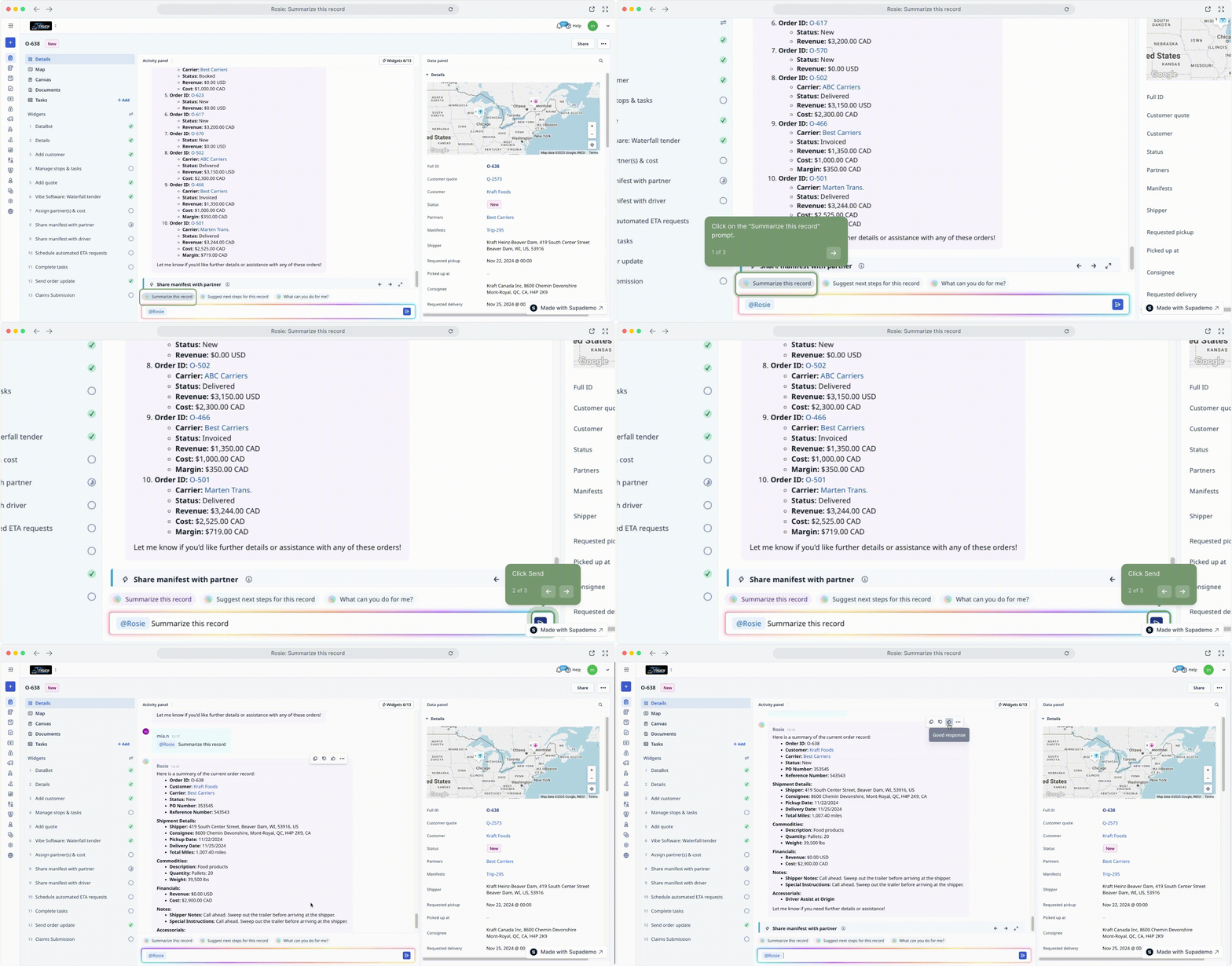
5️⃣ Can you update the requested delivery time?
📌 What it does: Adjusts the requested pickup or delivery time in the system.
💡 Why it’s valuable: Keeps schedules accurate when appointment times shift.
✅ How to use it: Type @Rosie "Update the requested delivery to [new date/time]." when a customer changes a scheduled time.
Best Practices for Using Rosie
- Be specific with your prompts. If you need details for a specific order, lane, or carrier, mention them in your question.
- Use consistent phrasing. Regularly use the question prompts to help Rosie learn and adapt to your business needs over time.
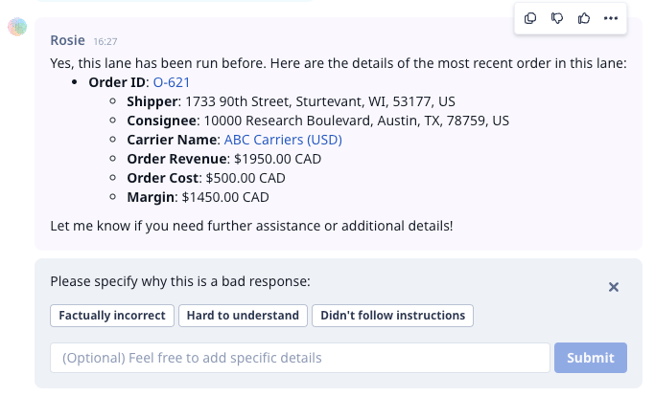
- Use the thumbs-up/down feature. Your feedback helps improve Rosie’s responses over time.
AI Settings
This is only available to Broker and Carrier with AI - tier 2.
Preferences
Rosie is equipped with default agent preferences that function similarly to a job description. It is essential to be specific about the behaviours and expectations you have for Rosie in your organization. By clearly defining what you expect Rosie to accomplish on a regular basis, you can ensure optimal performance. Additionally, you can modify these preferences whenever necessary to better fit your business needs.
Actions
Actions refer to the features and functionalities you are already familiar with in Rose Rocket, such as the invoice creation workflow. The easiest way to access actions is through the dropdown menu related to the specific object. Our Product Team has already predefined these actions, so you don't need to make any adjustments.
Jobs
Jobs refer to the specific tasks you would like Rosie to perform. You can view a default list of the various jobs that are already available. You also have the ability to create new jobs by naming them and specifying how you would like Rosie to respond. To maintain clarity and avoid confusion for Rosie, it is important to refrain from duplicating jobs, as this can lead to conflicting instructions for Rosie. Additionally, incorporating relevant keywords can enhance the effectiveness of your job definitions.
FAQs
Why is Rosie not responding?
If Rosie isn't responding, take a moment to check your internet connection or try refreshing the page.
Are the actions searchable?
Not yet but we're on it! In the meantime, feel free to use Command+F or Control+F to help you find what you need.